





















OpenClaw Bot: The Autonomous AI Agent Transforming Digital Communication in 2026
Last updated: February 18, 2026
Key Takeaways
- OpenClaw Bot is an open-source autonomous AI agent that integrates with WhatsApp, Telegram, Discord, and iMessage to execute tasks and maintain persistent memory across conversations
- The project reached 190,000+ GitHub stars in early 2026 and transferred to an independent open-source foundation for long-term governance[1][3]
- Critical security vulnerabilities in January 2026 led to breaking changes that removed dangerous authentication-free deployment options[1]
- OpenClaw’s persistent memory architecture enables both powerful automation and unique security risks that require careful configuration
- The platform supports multi-channel messaging, media handling, and extensible skill modules under an MIT license[4]
Quick Answer
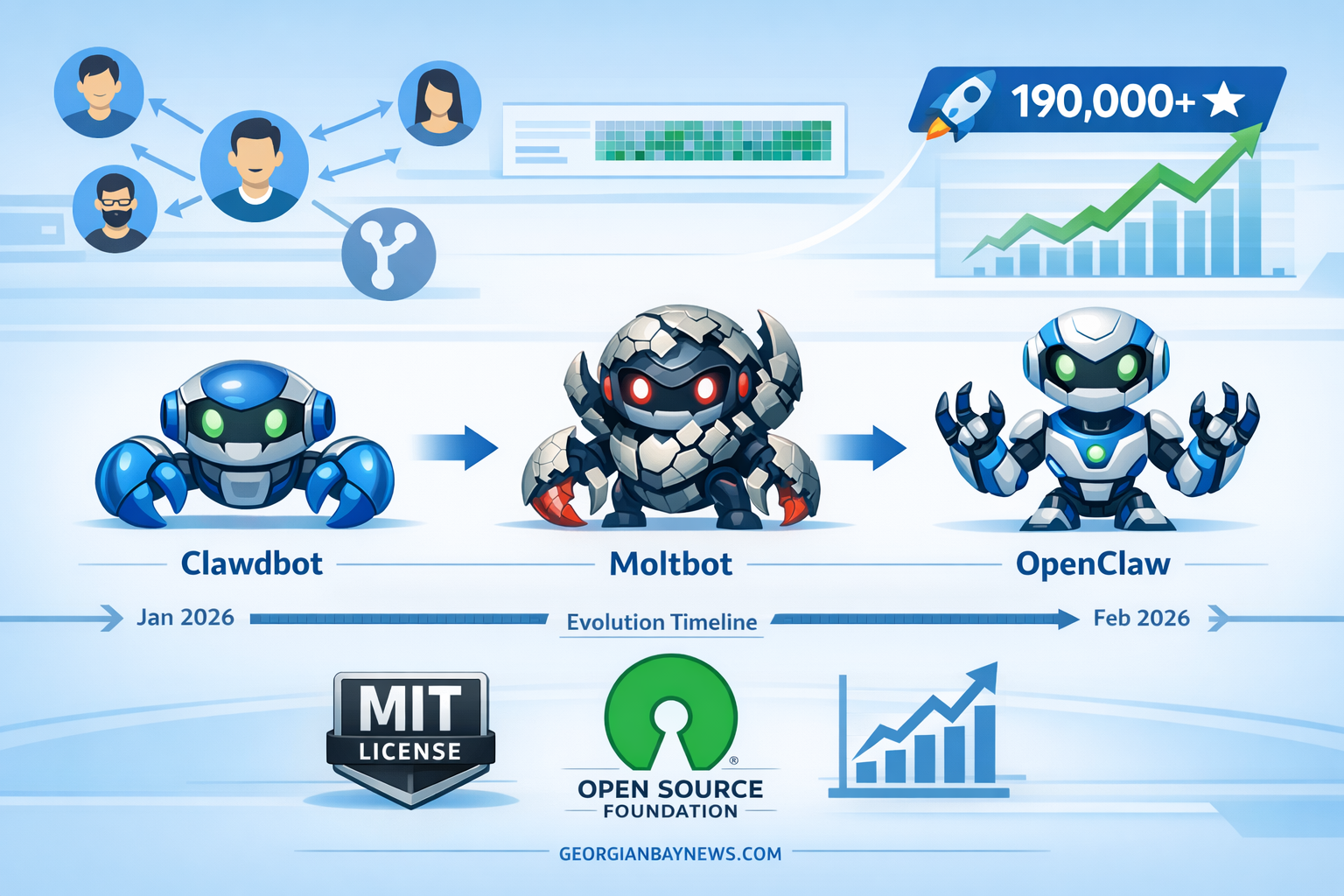
OpenClaw Bot (formerly Clawdbot and Moltbot) is an autonomous AI agent that connects to popular messaging platforms and executes tasks with persistent memory capabilities. After rapid rebranding between January and February 2026, the project settled on the OpenClaw name and transferred governance to an independent foundation.[1] The bot integrates with WhatsApp, Telegram, Discord, and iMessage through a single gateway process, allowing users to control automation, manage files, and execute commands across multiple channels simultaneously.[4] Security incidents in early 2026 prompted mandatory authentication requirements and heightened awareness of the risks associated with autonomous AI agents.
What Is OpenClaw Bot and How Does It Work?
OpenClaw Bot is an open-source autonomous AI agent designed to integrate seamlessly with messaging platforms while maintaining stateful memory across conversations. The system operates through a central gateway process that connects to multiple messaging services simultaneously, enabling users to interact with the bot from WhatsApp, Telegram, Discord, or iMessage using a unified interface.[4]
The core architecture consists of three main components:
- Gateway Layer: Manages connections to messaging platforms and handles authentication, message routing, and media processing
- Persistent Memory System: Stores conversation history, user preferences, and skill configurations that persist across sessions and system reboots
- Skill Modules: Extensible plugins that add specific capabilities like file management, web searches, calendar integration, and custom automation
Unlike traditional chatbots that reset after each conversation, OpenClaw maintains context indefinitely. This persistent memory enables the bot to learn user preferences, execute delayed tasks, and build upon previous interactions. For example, a user might ask OpenClaw to monitor news about a specific topic on Monday, and the bot will continue checking and reporting findings throughout the week without additional prompting.
The system runs as a daemon service on macOS (using launchd) or Linux (using systemd), ensuring the bot remains active even after system restarts.[1] Users interact through natural language commands sent via their preferred messaging app, and OpenClaw interprets intent, executes actions, and responds with results or status updates.
Choose OpenClaw if you need persistent automation across messaging platforms with extensible capabilities. Avoid it if you require enterprise-grade security controls or cannot commit to proper authentication configuration.
How Did OpenClaw Bot Evolve Through Its Rebranding Journey?
OpenClaw Bot completed three rapid rebranding cycles between January 30 and February 13, 2026, reflecting both community feedback and strategic positioning decisions.[1] The project initially launched as Clawdbot, then briefly became Moltbot due to pronunciation difficulties with the original name, before finally settling on OpenClaw as the permanent brand identity.
Timeline of Name Changes
| Date Range | Name | Reason for Change |
|---|---|---|
| Pre-January 2026 | Clawdbot | Original launch name |
| Late January 2026 | Moltbot | Pronunciation and clarity issues |
| January 30 – February 13, 2026 | OpenClaw | Final branding; emphasizes open-source nature |
The rebranding created technical challenges for the developer community. The npm package migrated from moltbot to openclaw, requiring all extensions to shift from the @moltbot/* scope to @openclaw/*.[1] Developers needed to update their package.json files and import paths across projects, leading to temporary compatibility issues during the transition period.
Common mistake: Failing to update all package references simultaneously can cause dependency conflicts. Always search your entire codebase for old package names before deploying after a rebrand.
The name “OpenClaw” was chosen to emphasize the project’s commitment to open-source principles and distinguish it from proprietary AI solutions. This branding aligned with the simultaneous transfer of governance to an independent open-source foundation, similar to successful models like Linux and Kubernetes.[1]
Why Did OpenClaw Bot Transfer to an Independent Foundation?
OpenClaw Bot transferred to an independent open-source foundation in early 2026 to ensure long-term sustainability, community governance, and independence from any single company or individual.[1] This structural change became particularly important when lead developer Steinberger joined OpenAI on February 14, 2026, raising concerns about potential conflicts of interest and project direction.
The foundation model provides several critical benefits:
Governance Independence: Decision-making authority rests with community maintainers and foundation board members rather than a single creator or corporate sponsor. This prevents scenarios where the project becomes abandoned or redirected to serve commercial interests.
Legal Protection: The foundation holds intellectual property rights, trademarks, and manages the MIT license, protecting contributors and users from unexpected licensing changes or patent disputes.
Financial Sustainability: The foundation can accept donations, sponsor contributions, and fund development work without routing money through individual developers or for-profit companies.
Community Trust: Users and enterprise adopters gain confidence that the project will remain open-source and community-driven regardless of individual career changes or corporate acquisitions.
The timing of this transition proved prescient. When Steinberger departed for OpenAI just weeks after the foundation transfer, the project continued operating smoothly under community leadership.[1] This contrasts sharply with many open-source projects that stagnate when their primary maintainer moves on.
“The transfer to an independent foundation ensures OpenClaw remains truly open-source and community-governed, independent of OpenAI or any other corporate entity.” – OpenClaw Foundation Statement[1]
Edge case: Some users initially worried that the OpenAI connection might influence development priorities. The foundation structure explicitly prevents this by maintaining governance separation and requiring community consensus for major decisions.
For world leaders and policymakers considering AI adoption strategies, the OpenClaw foundation model demonstrates how critical infrastructure can remain publicly governed even as individual contributors join major tech companies.
What Security Vulnerabilities Affected OpenClaw Bot in 2026?
OpenClaw Bot experienced two critical security incidents in January 2026 that exposed fundamental risks in autonomous AI agent architecture.[1][3] These vulnerabilities prompted immediate breaking changes and raised industry-wide concerns about AI security practices.
Major Security Incidents
1. Authentication-Free Deployment Exploits (January 2026)
Users deploying OpenClaw instances with the auth: none configuration option accidentally exposed their systems to complete compromise. When deployed on cloud providers with open gateway ports, attackers gained:
- Full access to conversation histories containing personal and business communications
- Ability to execute arbitrary commands through the bot’s skill system
- Access to connected messaging accounts and contact lists
- Capability to inject malicious instructions into persistent memory
The vulnerability was particularly dangerous because OpenClaw’s persistent memory meant attackers could embed malicious instructions that would execute days or weeks later, long after the initial breach was discovered.[3]
Response: Version 2026.1.29 released on January 29, 2026, removed the auth: none option entirely, making authentication mandatory for all deployments.[1]
2. Malicious VS Code Extension (January 27, 2026)
A fake extension called “ClawdBot Agent” appeared in the VS Code marketplace, targeting developers working with the bot. The extension installed ScreenConnect RAT (Remote Access Trojan) on developer machines, providing attackers with:
- Complete remote control of development environments
- Access to source code, credentials, and API keys
- Ability to modify code before deployment
- Persistence across system reboots
This attack exploited developer trust and the confusion created by the rapid rebranding from Clawdbot to Moltbot to OpenClaw.[1]
Persistent Memory Risks
Security researchers at Palo Alto Networks and CrowdStrike identified persistent memory as OpenClaw’s most concerning security characteristic.[3][6] Unlike traditional vulnerabilities that require real-time exploitation, OpenClaw’s stateful architecture enables:
- Delayed-execution attacks: Malicious instructions embedded in skill descriptions execute later when conditions are met
- Autonomous message handling: The bot treats links from attackers identically to those from trusted family members
- Untrusted skill onboarding: Users can install community skills without adequate validation or sandboxing
- Insufficient privilege separation: The same process that ingests external messages also executes high-privilege actions
Common mistake: Treating OpenClaw like a traditional chatbot and assuming conversations are ephemeral. All interactions persist and can influence future behavior, making contamination attacks viable.
For security professionals monitoring AI security trends, these incidents demonstrate why autonomous agents require fundamentally different security models than traditional applications.
How Do You Install and Configure OpenClaw Bot Safely?
OpenClaw Bot installation requires careful attention to security configuration and daemon setup to ensure safe, persistent operation.[1] The process differs significantly between macOS and Linux systems but follows the same security-first principles.
Installation Steps
Step 1: Install the Package
npm install -g openclaw
This installs the global OpenClaw command-line interface. Verify installation with openclaw --version.
Step 2: Initialize Configuration
openclaw onboard
The onboarding wizard guides you through:
- Setting up authentication credentials (mandatory as of version 2026.1.29)
- Configuring messaging platform connections
- Selecting initial skill modules
- Defining network security parameters
Step 3: Install Daemon Service
openclaw onboard --install-daemon
This command automatically configures the appropriate service manager:
- macOS: Creates a
launchduser service that starts OpenClaw at login - Linux: Configures a
systemduser service with automatic restart capabilities
The daemon ensures OpenClaw persists across system reboots without manual intervention.[1]
Step 4: Connect Messaging Platforms
OpenClaw supports simultaneous connections to multiple platforms:[4]
- WhatsApp: Requires QR code scanning for authentication
- Telegram: Uses bot token from BotFather
- Discord: Needs bot token and server permissions
- iMessage: macOS only, requires accessibility permissions
Each platform connection runs through the same gateway process, enabling unified control.
Security Configuration Checklist
✅ Enable strong authentication – Never deploy without password protection
✅ Restrict network access – Use firewall rules to limit gateway port exposure
✅ Vet skills before installation – Review code for untrusted skill modules
✅ Enable audit logging – Track all commands and actions for security review
✅ Implement privilege separation – Run OpenClaw under a dedicated user account
✅ Regular updates – Monitor for security patches and breaking changes
✅ Backup persistent memory – Maintain encrypted backups of conversation data
Choose cloud deployment if you need 24/7 availability and can properly configure network security. Choose local deployment if you prioritize data privacy and have a dedicated always-on machine.
Edge case: Users running OpenClaw on home networks should configure router-level firewall rules rather than relying solely on software firewalls, as some ISPs use carrier-grade NAT that can expose services unexpectedly.
For technical teams exploring AI tools implementation, proper OpenClaw configuration demonstrates the complexity of deploying autonomous agents securely.
What Messaging Platforms Does OpenClaw Bot Support?
OpenClaw Bot integrates with four major messaging platforms through a unified gateway architecture that enables simultaneous multi-channel operation.[4] This design allows users to interact with the same OpenClaw instance from different apps without losing context or functionality.
Supported Platforms and Capabilities
WhatsApp Integration
- QR code authentication for quick setup
- Full support for text, images, audio messages, and documents
- Group chat participation with @mention detection
- Status message support for broadcast updates
- End-to-end encryption maintained through official WhatsApp Web API
Telegram Integration
- Bot API token authentication via BotFather
- Inline keyboard support for interactive menus
- File transfers up to 2GB (significantly higher than other platforms)
- Custom command integration with slash commands
- Channel and group administration capabilities
Discord Integration
- OAuth2 bot token authentication
- Server-specific skill configurations
- Rich embed message support with formatting
- Voice channel status monitoring (text notifications only)
- Role-based permission integration
iMessage Integration (macOS only)
- Accessibility API integration for message access
- Requires macOS system permissions
- Works with individual and group conversations
- Limited to text and basic media (platform restriction)
- Tapback reaction support
Multi-Channel Gateway Process
The gateway process manages all platform connections simultaneously, providing:
- Unified command interface: Same commands work across all platforms
- Cross-platform notifications: Receive alerts on any connected app
- Synchronized persistent memory: Conversation context maintained regardless of which platform you use
- Media format translation: Automatic conversion between platform-specific formats
- Presence management: Coordinated online/offline status across services
Common mistake: Assuming each platform requires a separate OpenClaw instance. The gateway architecture specifically enables single-instance multi-platform operation, reducing resource usage and maintaining unified memory.
Choose WhatsApp if you need broad user accessibility and strong encryption. Choose Telegram if you require large file transfers and advanced bot features. Choose Discord if you’re managing community servers with role-based access. Choose iMessage if you’re in the Apple ecosystem and prioritize simplicity.
For communities exploring communication technology, OpenClaw’s multi-platform approach demonstrates how autonomous agents can unify fragmented messaging ecosystems.
What Skills and Extensions Can OpenClaw Bot Execute?
OpenClaw Bot operates through an extensible skill system that allows users to add capabilities through community-developed or custom modules.[1][2] Skills range from simple utilities to complex automation workflows, all accessible through natural language commands sent via messaging apps.
Core Skill Categories
File Management Skills
- Search local and cloud storage systems
- Organize files by type, date, or custom criteria
- Compress, encrypt, and transfer documents
- Monitor directories for changes and trigger actions
- Backup automation with scheduling
Web Interaction Skills
- Search engines with result summarization
- Website monitoring for content changes
- Form submission and data extraction
- API integration for third-party services
- Screenshot capture and annotation
Calendar and Scheduling Skills
- Event creation across multiple calendar systems
- Meeting scheduling with conflict detection
- Reminder management with smart notifications
- Time zone conversion for international coordination
- Availability checking and booking
Data Processing Skills
- CSV and Excel file analysis
- Data transformation and formatting
- Chart generation from datasets
- Database queries with natural language
- Report generation and distribution
Communication Skills
- Email drafting and sending
- Contact management and lookup
- Message templates and bulk sending
- Translation between languages
- Sentiment analysis of conversations
Installing and Managing Skills
Skills install through the OpenClaw package manager using the @openclaw/* scope:[1]
openclaw skill install @openclaw/file-manager
openclaw skill install @openclaw/calendar-sync
openclaw skill install @openclaw/web-search
Each skill requires explicit permission grants during installation, defining which resources and capabilities it can access. This permission system provides some security isolation, though researchers have identified gaps in validation and sandboxing.[3][6]
Security consideration: Skills have access to OpenClaw’s persistent memory and can read conversation history. Only install skills from trusted sources or after reviewing the source code yourself.
Custom Skill Development
Developers can create custom skills using the OpenClaw SDK:[2]
- Define skill metadata (name, description, permissions)
- Implement command handlers for natural language triggers
- Access OpenClaw APIs for memory, messaging, and platform integration
- Package and distribute through npm with
@openclaw/scope - Submit to community skill registry for discovery
Example use case: A small business owner created a custom inventory management skill that monitors stock levels, generates reorder alerts via WhatsApp, and automatically creates purchase orders when inventory falls below thresholds. The skill integrates with their existing accounting software and sends daily summary reports to the management team on Telegram.
The upcoming extension marketplace planned for Q1-Q2 2026 will provide centralized skill discovery, ratings, and security reviews.[1] This addresses current challenges where users must manually search npm packages and assess trustworthiness independently.
Common mistake: Installing multiple skills with overlapping command triggers creates conflicts. Use openclaw skill list to review active commands and disable conflicting skills before installation.
For developers interested in AI-powered automation, OpenClaw’s skill system demonstrates the power and risks of extensible autonomous agents.
What Enterprise Features and Roadmap Does OpenClaw Bot Offer?
OpenClaw Bot is actively developing enterprise capabilities while maintaining its open-source foundation, with a clear roadmap extending through 2026 and beyond.[1] The project balances community needs with organizational requirements for security, compliance, and team management.
Q1 2026 Priorities (Current Development)
Foundation Governance Establishment
- Formal board structure with community representation
- Transparent decision-making processes
- Contribution guidelines and maintainer onboarding
- Financial reporting and donation management
Docker Sandboxing Enhancements
- Containerized skill execution for isolation
- Resource limits to prevent denial-of-service
- Network policy enforcement for outbound connections
- Automated security scanning of container images
Skill Library Expansion
- Curated collection of verified community skills
- Security review process for popular extensions
- Documentation standards and testing requirements
- Version compatibility matrix
Q2-Q3 2026 Medium-Term Goals
Extension Marketplace Launch
- Centralized discovery platform for skills
- User ratings and review system
- Automated security scanning and certification
- Revenue sharing for skill developers
- One-click installation and updates
Enterprise Team Management
- Multi-user deployments with role-based access
- Centralized configuration management
- Team-wide skill libraries and policies
- Usage analytics and reporting dashboards
Audit Logging and Compliance
- Comprehensive activity logs for all actions
- Tamper-proof log storage with cryptographic verification
- Compliance reporting for SOC 2, GDPR, HIPAA
- Integration with SIEM platforms
- Data retention policies and automated purging
Single Sign-On (SSO) Integration
- SAML 2.0 support for enterprise identity providers
- OAuth2 integration with major platforms
- Multi-factor authentication enforcement
- Session management and timeout policies
Improved Local Model Support
- Enhanced Ollama integration for on-premise AI
- Support for custom fine-tuned models
- Reduced cloud API dependency
- Privacy-focused deployment options
- Cost optimization for high-volume usage
Long-Term Vision (2027 and Beyond)
The OpenClaw roadmap includes ambitious goals for expanding autonomous capabilities while addressing security concerns raised by researchers:[3][6]
- Human-in-the-loop validation for high-risk actions
- Formal verification of skill behavior before execution
- Privilege separation architecture isolating input processing from action execution
- Federated deployment enabling organizational boundaries
- AI safety controls preventing harmful autonomous behaviors
Enterprise adoption consideration: Organizations should wait for the Q2 2026 marketplace and SSO releases before large-scale deployment. Current versions lack essential enterprise controls for team environments.
Edge case: Companies in highly regulated industries (finance, healthcare, government) should conduct thorough security reviews and potentially delay adoption until audit logging and compliance features are production-ready.
For business leaders evaluating AI implementation strategies, OpenClaw’s roadmap demonstrates the maturation path from community project to enterprise-ready platform.
How Should Security Teams Approach OpenClaw Bot Deployment?
OpenClaw Bot requires specialized security considerations that differ significantly from traditional applications due to its autonomous nature and persistent memory architecture.[3][6] Security teams must implement controls that address both conventional vulnerabilities and novel AI-specific risks.
Security Team Assessment Framework
Risk Classification
CrowdStrike and Palo Alto Networks classify OpenClaw as a high-risk autonomous agent requiring enhanced monitoring and controls.[3][6] Key risk factors include:
- Autonomous message handling without human validation
- Persistent memory enabling delayed-execution attacks
- Extensible skill system with variable trust levels
- Multi-platform integration expanding attack surface
- Privileged access to communication channels and data
Pre-Deployment Security Review
Before authorizing OpenClaw deployment, security teams should:
- Threat modeling: Map potential attack vectors including skill poisoning, memory contamination, and privilege escalation
- Network segmentation: Isolate OpenClaw instances from critical infrastructure
- Data classification: Identify what information OpenClaw will access and apply appropriate controls
- Incident response planning: Define detection, containment, and recovery procedures for compromise scenarios
- Compliance assessment: Verify alignment with organizational policies and regulatory requirements
Essential Security Controls
Authentication and Access Control
- Enforce strong authentication (mandatory since version 2026.1.29)[1]
- Implement multi-factor authentication for administrative access
- Use separate credentials for each messaging platform integration
- Rotate API keys and tokens on a defined schedule
- Monitor for unauthorized access attempts
Network Security
- Deploy behind application firewalls with strict ingress rules
- Limit outbound connections to approved services only
- Use VPN or private networking for cloud deployments
- Monitor network traffic for anomalous patterns
- Implement rate limiting to prevent abuse
Skill Management
- Maintain an approved skill allowlist
- Require security review before skill installation
- Use containerized skill execution when available
- Monitor skill behavior for unexpected actions
- Disable unused skills to reduce attack surface
Monitoring and Detection
- Enable comprehensive audit logging
- Alert on high-privilege command execution
- Monitor for unusual conversation patterns
- Track skill installation and configuration changes
- Integrate with SIEM platforms for correlation
Data Protection
- Encrypt persistent memory at rest
- Implement secure backup procedures
- Define data retention and purging policies
- Restrict access to conversation histories
- Apply data loss prevention controls
Incident Response Procedures
If OpenClaw compromise is suspected:
- Immediate isolation: Disconnect network access to prevent lateral movement
- Memory preservation: Backup current state for forensic analysis
- Credential rotation: Change all authentication tokens and API keys
- Skill audit: Review all installed skills for malicious modifications
- Conversation review: Examine recent interactions for signs of manipulation
- Platform notification: Alert messaging platform providers if account compromise occurred
- User communication: Inform affected users about potential data exposure
Common mistake: Treating OpenClaw incidents like traditional malware infections. The persistent memory means contamination can occur through conversation manipulation, not just code exploitation.
Choose to deploy OpenClaw if your security team can commit to ongoing monitoring and has experience with autonomous agent risks. Avoid deployment if you lack resources for continuous oversight or operate in zero-trust environments requiring human approval for all actions.
For security professionals tracking emerging AI threats, OpenClaw represents a new class of security challenges requiring specialized expertise and tooling.
What Are the Alternatives to OpenClaw Bot?
OpenClaw Bot occupies a specific niche in the autonomous AI agent landscape, but several alternatives offer different trade-offs between capabilities, security, and ease of use. Understanding these options helps organizations and individuals choose the right tool for their specific requirements.
Direct Competitors
AutoGPT
- Strengths: Mature project with large community, extensive documentation, web-based interface option
- Weaknesses: Higher resource requirements, less focused on messaging integration
- Best for: Users who need web automation and research capabilities more than messaging integration
- Security posture: Similar persistent memory risks but with more sandboxing options
LangChain Agents
- Strengths: Highly customizable, strong enterprise adoption, extensive integration ecosystem
- Weaknesses: Requires more technical expertise to configure, less turnkey than OpenClaw
- Best for: Development teams building custom AI solutions with specific requirements
- Security posture: Granular control enables better security but requires expert configuration
Microsoft Copilot Studio
- Strengths: Enterprise-grade security controls, Microsoft ecosystem integration, compliance certifications
- Weaknesses: Proprietary platform, higher cost, limited customization compared to open-source options
- Best for: Organizations already using Microsoft 365 who prioritize compliance and support
- Security posture: Professional security team, regular audits, enterprise SLAs
Platform-Specific Alternatives
Telegram Bot Framework
- Limited to Telegram only
- Simpler security model without persistent memory
- Requires custom development for each capability
- Choose if: You only need Telegram integration and want maximum control
WhatsApp Business API
- Official WhatsApp integration with business features
- Structured message templates and approval process
- No autonomous capabilities without custom development
- Choose if: You need official WhatsApp support and compliance
Discord.js Bots
- Discord-specific with rich API access
- Large community and extensive libraries
- Requires programming for all functionality
- Choose if: You’re building for Discord communities and have development resources
Decision Matrix
| Feature | OpenClaw | AutoGPT | LangChain | Copilot Studio |
|---|---|---|---|---|
| Multi-platform messaging | ✅ Excellent | ❌ Limited | ⚠️ Custom | ⚠️ Microsoft only |
| Persistent memory | ✅ Built-in | ✅ Built-in | ⚠️ Custom | ✅ Built-in |
| Open-source | ✅ MIT | ✅ MIT | ✅ MIT | ❌ Proprietary |
| Enterprise security | ⚠️ Developing | ⚠️ Developing | ✅ Mature | ✅ Enterprise-grade |
| Ease of setup | ✅ Good | ⚠️ Moderate | ❌ Complex | ✅ Good |
| Cost | Free | Free | Free | $$$ |
Choose OpenClaw if you need multi-platform messaging integration with persistent memory and prefer open-source solutions. Choose AutoGPT if you prioritize web automation over messaging. Choose LangChain if you have development resources and need maximum customization. Choose Copilot Studio if you’re an enterprise requiring compliance certifications and support.
For Canadian organizations exploring AI tools, the choice often depends on data sovereignty requirements and existing technology investments.
Frequently Asked Questions About OpenClaw Bot
Is OpenClaw Bot free to use?
Yes, OpenClaw Bot is completely free and open-source under the MIT license.[1] There are no licensing fees, usage limits, or premium tiers. However, you may incur costs for cloud hosting if you deploy on platforms like AWS or Azure, and some AI model APIs (like OpenAI’s GPT) charge per usage.
Can OpenClaw Bot access my private messages?
OpenClaw requires explicit permission to access messaging platforms and only processes messages sent directly to it or in channels where it’s added.[4] It does not have access to your private conversations unless you specifically grant it. However, all interactions with OpenClaw are stored in its persistent memory, so treat it like a permanent record.
What happened to Clawdbot and Moltbot?
Clawdbot and Moltbot were previous names for the same project now called OpenClaw Bot.[1] The project underwent rapid rebranding between January and February 2026, settling on OpenClaw as the final name. All functionality remains the same, but package names changed from @moltbot/* to @openclaw/* in npm.
Is OpenClaw Bot affiliated with OpenAI?
No, OpenClaw Bot is completely independent of OpenAI despite the similar naming.[1] The project is governed by an independent open-source foundation. While the original creator Steinberger joined OpenAI in February 2026, this does not create any corporate relationship between the projects.
How do I protect my OpenClaw Bot from hackers?
Always enable strong authentication (required since version 2026.1.29), restrict network access using firewalls, only install trusted skills after reviewing their code, keep OpenClaw updated with security patches, and monitor audit logs for suspicious activity.[1][3] Never deploy with open gateway ports on public internet without proper authentication.
Can OpenClaw Bot work offline?
OpenClaw can operate with limited functionality offline if you use local AI models through Ollama integration.[1] However, messaging platform integration requires internet connectivity, and most skills depend on web services. The bot can queue actions while offline and execute them when connectivity returns.
What platforms does OpenClaw Bot run on?
OpenClaw runs on macOS and Linux systems with Node.js installed.[1] Windows support is experimental and not officially recommended. The bot can also run in Docker containers for platform-independent deployment. iMessage integration specifically requires macOS.
How much technical knowledge do I need to use OpenClaw Bot?
Basic command-line familiarity is required for installation and configuration.[1] Once set up, daily use through messaging apps requires no technical knowledge. However, troubleshooting issues, installing custom skills, or modifying configurations requires intermediate technical skills.
Can businesses use OpenClaw Bot commercially?
Yes, the MIT license permits commercial use without restrictions.[1] However, enterprise features like team management, audit logging, and SSO are still in development as of early 2026. Businesses should assess whether current security controls meet their compliance requirements before deployment.
Does OpenClaw Bot support languages other than English?
OpenClaw supports multiple languages through the underlying AI models you configure it with.[4] The interface and documentation are primarily English, but the bot can process and respond in any language supported by your chosen AI model (GPT-4, Claude, etc.).
What happens if OpenClaw Bot makes a mistake?
OpenClaw executes commands autonomously based on its interpretation of your requests.[3] Mistakes can range from minor errors to potentially harmful actions if the bot misunderstands instructions. Always review critical actions before confirming, and avoid granting